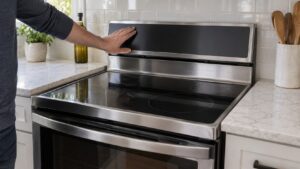
Easy touch electronic controls are the electronic oven control panel found on many Amana ranges and wall ovens — the interface that sets temperature and timing and reports error codes.
It helps to know how the appliance works. On an Amana range the electric oven and the cooktop are two separate systems. The oven uses bake and broil elements switched by the Easy Touch Electronic Control, which reads an oven temperature sensor and reports genuine F#E# error codes when something is wrong. The gas or radiant cooktop, by contrast, has no code table at all, so a burner or element failure is always diagnosed by symptom. Knowing which system a problem belongs to tells you immediately whether to look for a code or to work by observation.
What the control does
The electronic control reads the oven temperature sensor, switches the bake and broil elements to hold your set point, and runs timed and self-clean functions. Because it is electronic, it can report a specific problem as a code instead of simply failing silently.
Reading the F#E# codes
When the control detects a problem it shows an F (function) and E (error) pair — for example an open oven sensor or a stuck door lock. The code narrows the problem to a circuit so a technician confirms the named part before replacing anything. On a non-display model the same problem flashes as a count.
- F-number identifies the function area; E-number identifies the specific error.
- A code is a starting point for diagnosis, not proof the control board itself is bad.
Resetting and caring for the control
When the Easy Touch panel behaves oddly — a stuck display, a function that will not start, a code that appears once — the first sensible step is a power reset, the appliance equivalent of restarting a computer. Switch the range off at the breaker for a minute, then restore power; that clears transient glitches without touching any setting. If the same code returns immediately afterward, it is reporting a real problem rather than a hiccup, and that distinction tells you whether to keep cooking or to book service. Keep the panel itself clean with a soft, damp cloth rather than spray cleaners, which can seep behind the membrane, and avoid pressing hard on the buttons. The control reads the oven temperature sensor to do its job, so a code that blames temperature is often the sensor or its wiring rather than the expensive control board — worth knowing before anyone quotes a part.
Why this matters for diagnosis
Knowing what this part or feature actually does changes how you read a problem. Instead of guessing that the whole appliance has failed, you can tell whether the symptom fits this component or points somewhere else — which saves money on the wrong part and helps you describe the problem accurately when you book service. Several Amana components produce overlapping symptoms, so a technician confirms the reading at the named part before replacing anything, rather than swapping parts on a guess. When you understand the term, that conversation is faster and the repair is more likely to be right the first time.
When to call a technician
If an F#E# code keeps returning after a reset, or the panel goes dark or unresponsive, the sensor, wiring, or control board should be diagnosed by a technician.
Quick reference
The short version of this guide:
- What the control does.
- Reading the F#E# codes.
If a problem persists after trying these steps, an experienced Amana technician can diagnose it on site rather than leaving you to replace parts on a guess. Book a visit through our range repair service, look up a problem on our Amana error-code pages, or browse the full Amana guides library for more troubleshooting and maintenance help across every appliance we service.