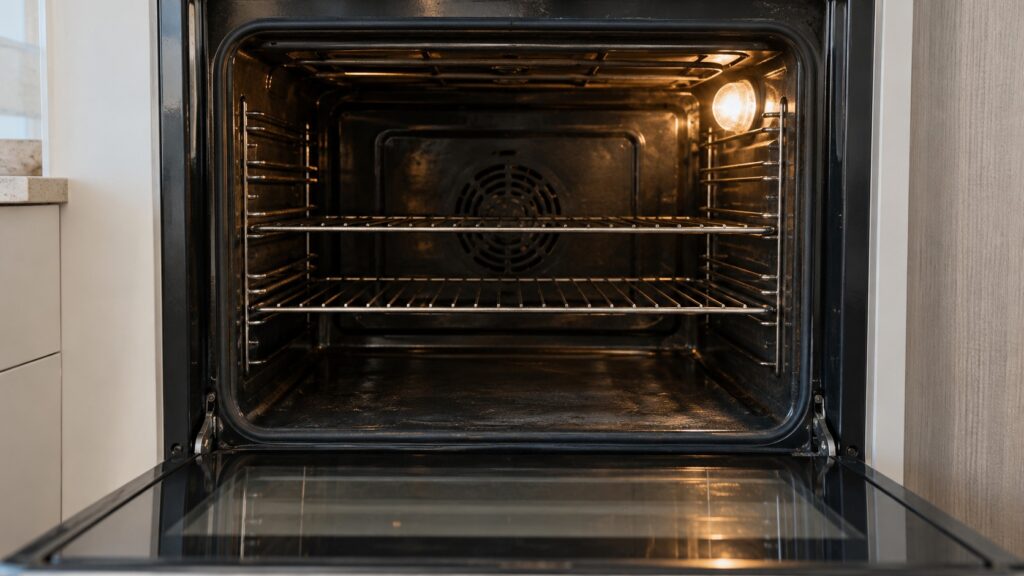
To replace an Amana oven light bulb, make sure the oven is off and completely cool, cut power as your owner’s manual directs, take off the glass cover, swap in a bulb of the type and rating the manual lists and put the cover back. Oven bulbs sit in a hot cavity, so the bulb type matters, and the cover and the way it comes off differ by model. If the new bulb does not light, the cause is not the bulb and a technician should look at it. If the light sits behind a panel or the back wall rather than under a cover you can lift off, the swap is not an owner job.
How do you know the oven light bulb has failed?
The oven light comes on when you open the door or press the light switch, and a dark cavity with everything else working is the usual sign of a burned-out bulb. Check what else the oven does. If it heats, the clock works and only the light is out, the bulb is the likely cause. If the whole range is dead, a tripped breaker or a power problem is more likely, and our Amana range oven not heating guide covers the heating side. Also try the light switch, if your range has one, before you assume the bulb is gone.
A bulb that flickers or lights for a short time and then goes out also needs replacing. A light that stays dark after you replace the bulb points to a different fault.
What do you need before you start?
Three things. First, the right bulb. We do not have a bulb list for Amana ovens on this site, so use your owner’s manual or the model label to find the type and rating. Oven bulbs are made for the heat inside an oven, so an ordinary household bulb is not a substitute unless your manual says it is. Second, a clean dry cloth or the bulb’s own packaging, so you do not touch the glass with bare fingers. Third, time. Do not start until the oven has cooled completely. A hot cavity and a hot glass cover can burn you.
Our Amana range maintenance guide lists the regular care a range needs, and changing a light is part of that routine. See Amana range maintenance for the rest.
What are the general steps to replace the bulb?
The exact steps differ by model, so follow your owner’s manual. The outline below is general.
- Turn the oven off and wait until the cavity and the light cover are completely cool.
- Cut power to the oven as the manual directs, which on many ranges means switching off the breaker at the panel, and do it with a dry floor under your feet.
- Take out the oven racks if they are in the way and set a cloth on the oven floor under the light, so a dropped cover does not chip it.
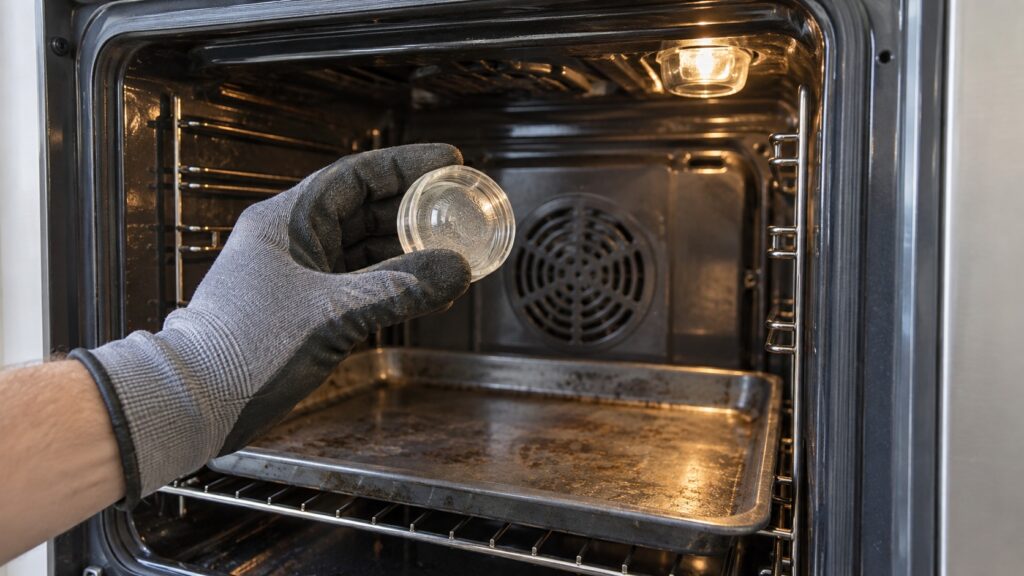
- Remove the glass cover. On many ovens it turns or lifts off, and some are held by a wire clip. Do not pry it with a tool, and do not force it.
- Remove the old bulb as the manual describes, and put in the new one of the same type, holding it with the cloth.
- Replace the cover, restore power and check that the light comes on.
The glass cover can be thin. If it is cracked or chipped, replace it, because a damaged cover can break when the oven heats.
Why handle the new bulb with a cloth?
Many lamp makers tell you not to touch the glass, because skin oil on a bulb that gets very hot can mark it and shorten its life. Whether your bulb type is sensitive to that is something the instructions with the bulb will say, but handling it with a clean dry cloth or the packaging costs nothing. Wipe off any fingerprint before you install it.
What if the light still does not work?
Stop and do not keep trying. If a correct new bulb stays dark, the socket, a light switch or a connection may be at fault, and those are behind the cavity wall or inside the range. Do not take the back wall or the range panels apart, and do not test the socket with a metal object. Also check that the bulb is the right type, because a bulb of the wrong rating may not light or may fail quickly. A technician can find the fault in a short visit. Our Amana range repair page explains how a visit works.
If you smell burning, see a scorch mark near the light or notice melted plastic, switch off the breaker at the panel while standing on a dry floor, leave the range off and call for help. On a gas range, if you ever smell gas, do not turn anything on or off; go outside and call your gas utility or 911 from outside.
How do you keep the oven light working longer?
Keep the glass cover clean so the light is easy to see and so grease does not bake on. Do not clean a hot cover. Our Amana oven self-clean maintenance guide explains what to prepare before a self-clean cycle, and the manual says whether the light cover should be removed first. Close the oven door gently as a general habit, and keep the door gasket in good shape so the heat stays in the cavity. For everyday use, see Amana oven tips.
When should you call a technician?
Call if the oven has no light and you cannot find a replaceable bulb in the manual, if the new bulb stays dark, if the cover is damaged or will not come off easily, or if the light stays on with the door closed. The oven light is a convenience, but a fault in the light circuit can be a sign of a wiring problem. If the range is old and has several faults, our Amana range repair or replace guide helps you decide.