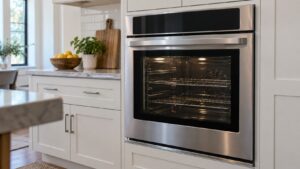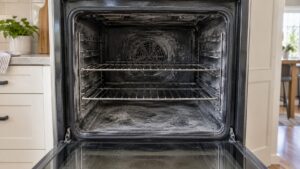
An amana wall oven door locked after a self-clean cycle, often with F9-2 or an F5 code, usually means the lock has not released because the cavity is still hot — or the lock hardware has failed.
Amana single electric wall ovens (the AWO6313 and AWO6317) share the range control platform, so they report the same F#E# codes — F3 sensor, F5 door lock, F6 E1 over-temp during cook, and F9 E0 electrical or miswire — and because they are single, electric, thermal ovens there are no double-oven or gas-oven codes to read. We start with the everyday causes you can check yourself, then explain the signs that point to a part that genuinely needs a hands-on repair.
What a amana wall oven door locked usually means
After self-clean the oven keeps the door locked until the cavity cools below a safe temperature. If it stays locked when cold, F9-2 (latch will not unlock) or an F5 door-lock failure points to the lock motor, its switch, or a binding latch. Letting it cool fully and power-cycling clears most cases; a door that stays locked cold needs the lock assembly checked.
First checks you can do
Start with the checks you can safely do yourself. Each one rules out a common, inexpensive cause, and together they resolve the majority of cases without a service visit:
- Let the oven cool completely — the lock will not release while the cavity is hot.
- Reset at the breaker for 30 to 60 seconds after it has cooled.
- Confirm the Oven Lockout control lock is not separately engaged.
- Avoid forcing the door — the motorized lock must release on its own.
Take these in order and confirm whether the problem has cleared before moving to the next. If you do end up needing help, having worked through them gives the technician a useful head start.
Reading the Amana display for a amana wall oven door locked
Note any code before you act, because it narrows the diagnosis more than any other clue. A good first move for most Amana problems is a power reset: switch the appliance off at the breaker for 30 to 60 seconds, then restore power. If the code returns straight away, treat it as a real problem pointing at the named part rather than a one-off glitch. Remember Amana writes the digits F-then-E, so read F3 E1 as the third problem group with sub-code one.
- F9-2 — latch will not unlock (the code here).
- F9-1 — latch will not lock.
- F5 E0 / F5 E1 — door-lock failure.
- F6 E1 — over-temp during the clean cycle.
Read the exact characters carefully, and ignore any lookup that does not match this list — codes from other makes do not apply here.
When it is a problem, not a habit
If the everyday checks above do not resolve it, the problem has likely moved from something you can adjust to a component that needs testing or replacing. These are the signs that point that way:
- The door stays locked when fully cold — the lock motor or microswitch has failed.
- The lock motor hums but the latch does not move — a binding latch.
- An F5 code with the door free — a switch-feedback problem.
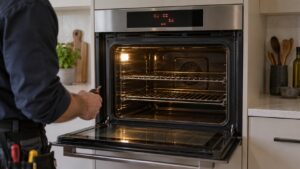
At this point a proper diagnosis beats guesswork, since the remaining causes involve a specific part or electrical testing. An experienced technician can meter the suspect component and fit a genuine OEM part so the repair lasts.
Putting it together
Work the checks above in the order given. Most Amana wall oven problems of this kind clear at one of the early, owner-checkable steps; the ones that do not point to a specific part and are worth a proper diagnosis rather than guesswork. Move from the simplest cause outward, confirm each step before the next, and treat a returning code or a lingering symptom as your cue to bring in help. A little routine care afterward prevents most repeat calls, since Amana builds these wall ovens to be dependable and easy to live with.
Related reading: Amana wall oven F6 E1 over-temp, Amana wall oven error-code guides, and our wall oven repair service.
Book Amana wall oven service
If these steps do not resolve it, our experienced, independent technicians repair Amana wall ovens with genuine OEM parts and a 30-day labor warranty. Schedule a visit, see what our wall oven repair service covers, or confirm your model details on the manufacturer’s site at amana.com.